
Inspect the rendered page, with evidence beside the finding.
A recorded browser inspection of the public TodoMVC test page shows desktop and mobile captures alongside observable layout and accessibility conditions.
Recorded development example. Evidence and scope appear below.
The starting point
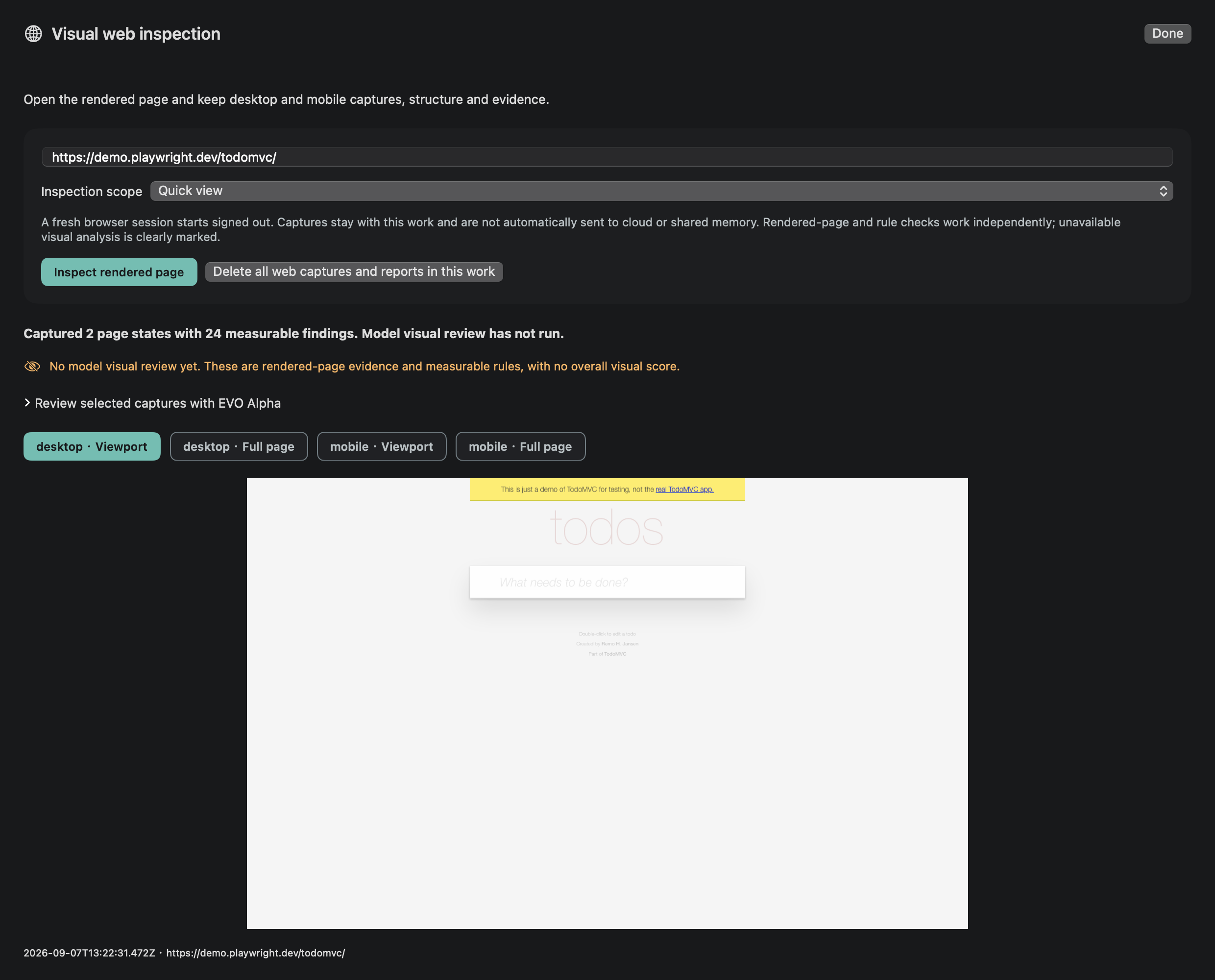
This is an engineering demonstration recorded on 7 September 2026 at 13:22 UTC, using the public TodoMVC page. It is not a customer testimonial, an audit of the EVO interface or a newly repeated inspection of the current live page.
Reading a page's source alone cannot establish what a JavaScript interface looks like after rendering. A screenshot adds visible context; structured page observations make details such as control size or a missing accessible name easier to locate and examine.
What you bring
- The public page at demo.playwright.dev/todomvc/.
- A real isolated browser session with recorded desktop and mobile views.
- Rendered-page observations and the original captures retained with their evidence references.
A request to start with
Inspect this public page at desktop and phone sizes. Show the observations I can verify.
Recorded Mac development example; internet required for a new capture. No sign-in or page modification. Public App access is closed.
What EVO needs to understand
The demonstration establishes specific observed conditions in the captured page. It does not claim that a model reviewed the images or that every rule result is a product defect. Interpretation must account for the page's role as a third-party test example.
Working through it
Load what the visitor would see
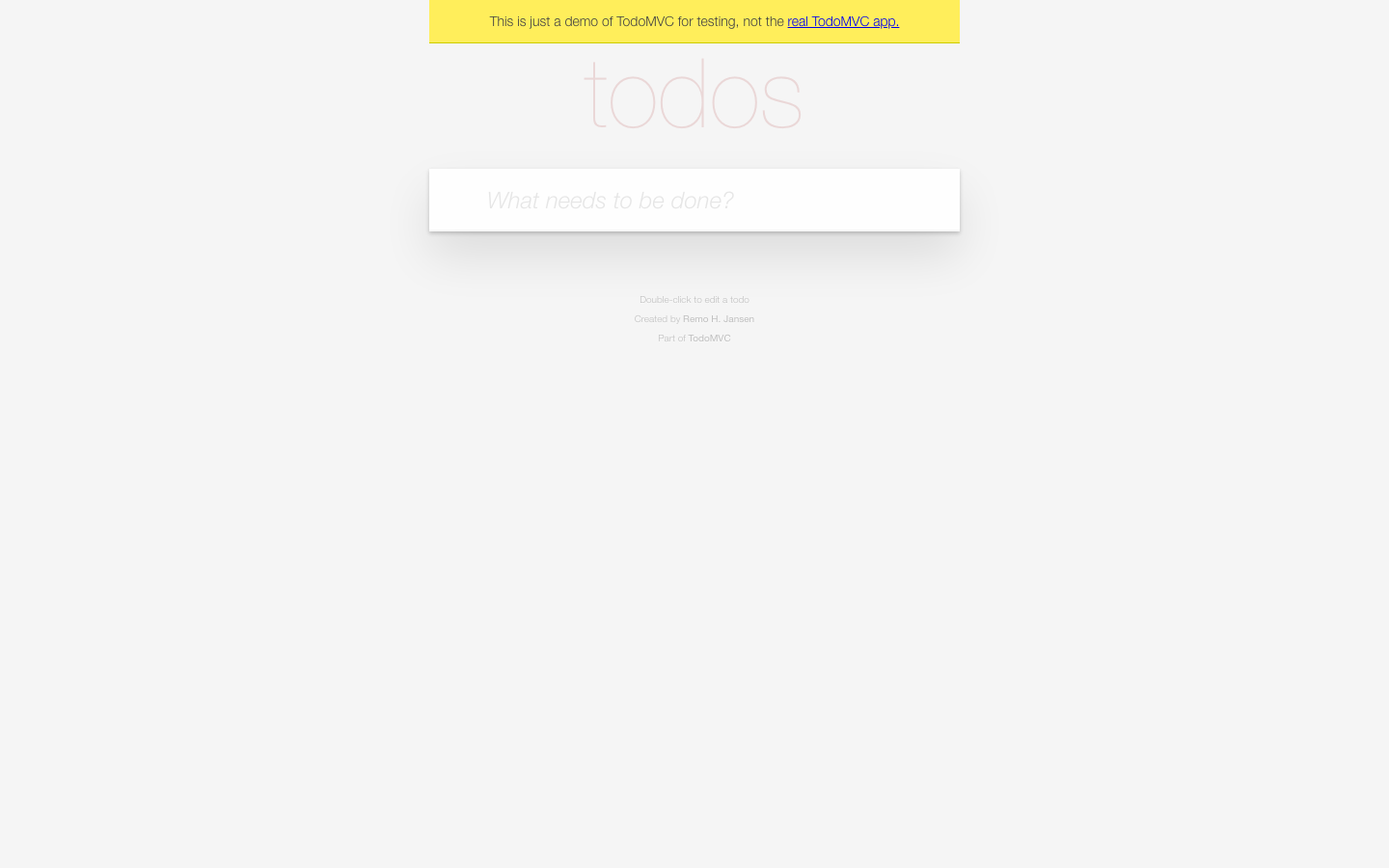
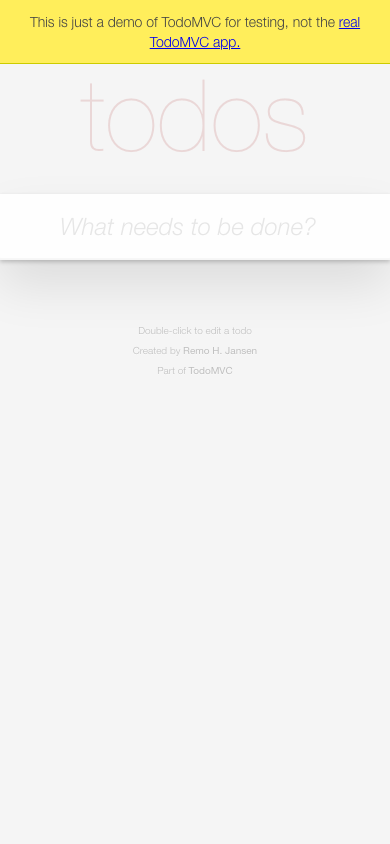
The browser opens the actual JavaScript page and captures its rendered state. Desktop and phone-size views are separate observations; seeing one is not proof that the other layout works. The original pale test-page artwork is preserved unchanged.
Connect conditions to evidence
The saved report contains 24 rule findings. Three observed conditions shown here are an input without an accessible name, a 116 × 17 px control and text at 10 px. Each has an observation and a DOM evidence reference, rather than an unsupported visual assertion.
Review before reaching a verdict
Use the original captures and page evidence to assess why a condition matters. Small controls may deserve investigation; a rule result alone does not establish the severity of a real user's problem or certify overall accessibility.
What you receive
- Original desktop and mobile screenshots from the recorded run.
- A report containing 24 rule findings, with three examples explained on this page.
- Evidence that the rendered interface was captured, with its source, time and inspection scope visible.
When you come back
A later website change needs a new inspection. Keep the recorded example as dated evidence; do not describe its screenshots as the current site's state or as proof that an untested interaction now succeeds.
Your information and choices
- Switch between recorded desktop and mobile views and open the original captures.
- Inspect the public source page separately, recognizing that it may have changed.
- Keep read-only inspection distinct from permission to sign in, submit or modify a website.
Recorded evidence
The recorded page
This third-party test page uses very light text. The original capture is shown unchanged; it is not the EVO interface.
Evidence scope
Recorded on 7 September 2026 at 13:22 UTC. The report contains 24 rule findings; three observed conditions are: an unlabeled input, a 116 × 17 px control and 10 px text. Each has an observation and a DOM evidence reference. These rules need human interpretation; they are not a complete accessibility audit.
Current scope
Implemented foundation
- This actual browser capture and deterministic rule record is available to examine now on this page.
Next milestones
- No model vision review was performed in this recorded example. It is not a complete accessibility audit or certification.
- Canvas, authenticated content and broader interaction quality are not established by these three findings. The native product remains in development and public downloads are closed.
These are development capabilities, not a public release. See platform availability before requesting a trial.
Platforms and availabilityBring a task you want to move forward.
Explore the Mac release, or tell us which workflow you would like to evaluate. An application does not guarantee an invitation.